
Electrical4U is a progressive web app. You add it to an iPhone or iPad home screen from Safari. You do not install it from the App Store.
app.electrical4u.com is the Electrical4U app address on every platform. The steps below are for iPhone and iPad.
Use Safari (not Chrome or Firefox) and follow these steps:
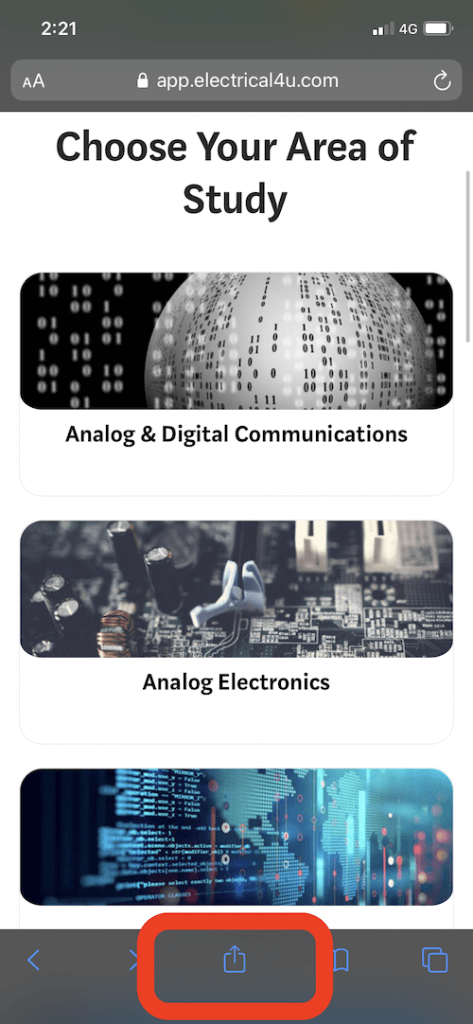
- Open app.electrical4u.com in Safari
- Tap Share (square with an arrow). On iPhone it sits at the bottom of Safari. On iPad it sits in the toolbar.
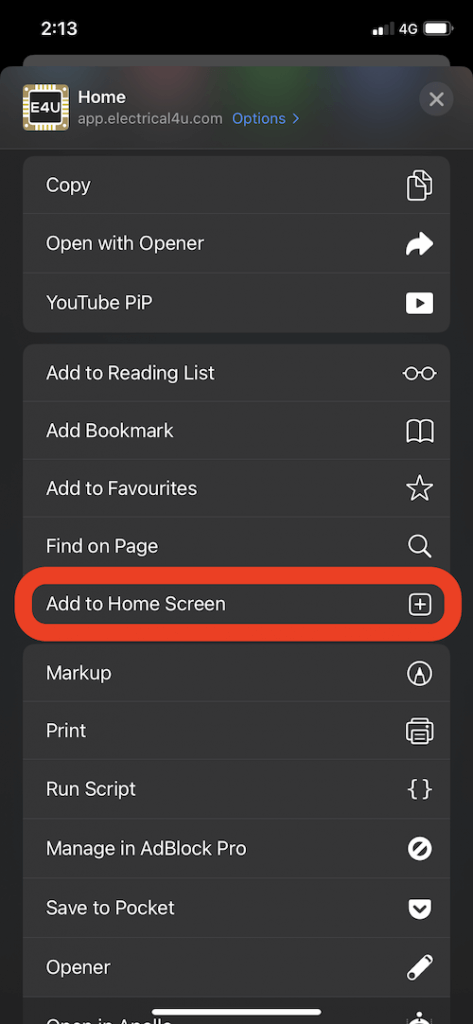
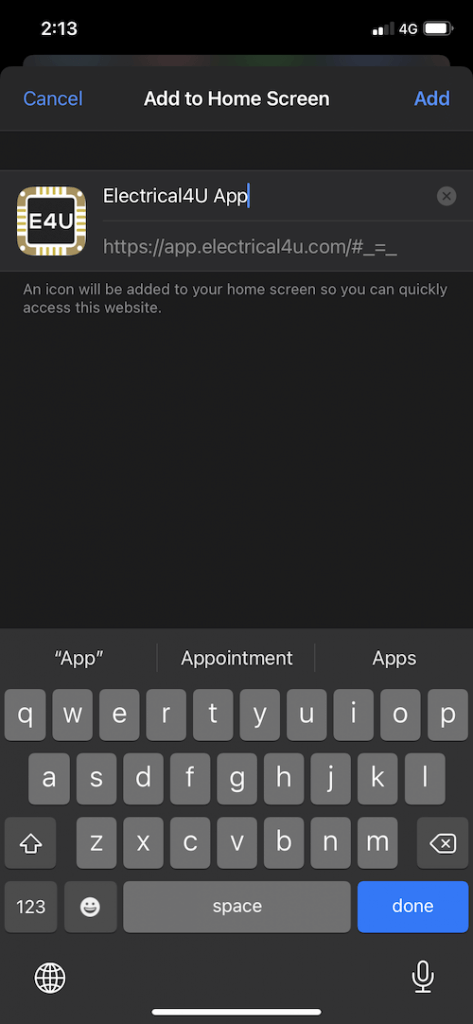
- Choose Add to Home Screen, then tap Add
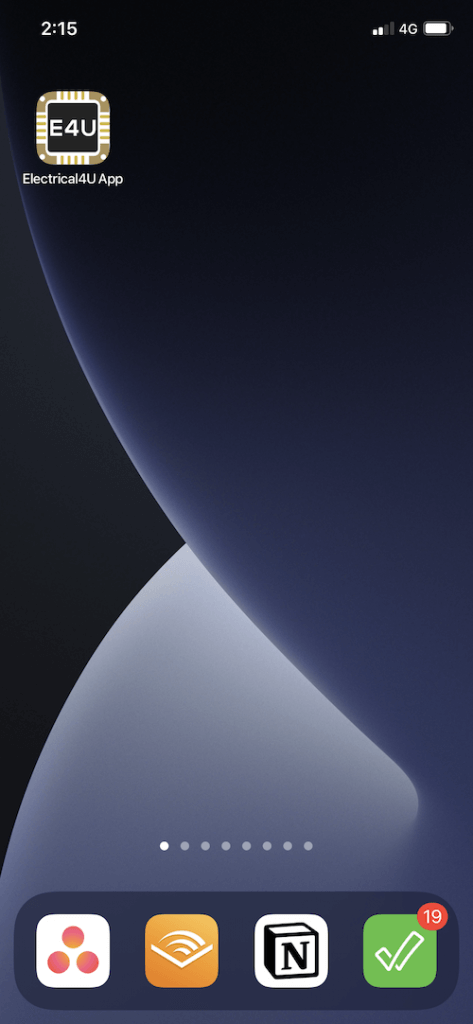
The Electrical4U icon then sits on the home screen with your other apps. Tap it to open the app.